Understanding Your Camera
A Canon 30D. Thanks to Leo Reynolds for this photo.
[twittermeme]Most people out there love using their camera. It’s great fun to snap away regardless of where you are or what’s in front of you. If you are ‘most people’ though then you probably just leave your camera on auto mode. 90% of the time this is the easiest way to photograph. However, you’re missing out on a huge range of features on your camera, and, even if you don’t think you’ll need or use them, simply understanding them will make taking a photo a much better experience.
Let’s start out with the basics. After all, how are we meant to understand the features if we don’t even know how a camera works? On auto mode, when we push the shutter button, light goes through the lens, is detected by the CCD (see megapixels), is saved on your memory card and then viewed on your screen. Throughout this process, the camera also focuses, adjusts its aperture and shutter speed depending on the subject and lighting conditions. Switch it off auto mode, and the process is still the same, however you have the ability to change whichever of these settings you want.
The dials on a Digital SLR or on a high range point and shoot. These settings may not be on a dial on your camera. Take a look through the menu.
On most cameras there are 5 different modes. Traditionally you’ll find these modes on the dial, although a lot of modern cameras are putting these modes into the menus in order to make thinner bodies and bigger screens. If your camera does have a dial then you’ll notice a series of letters above the auto mode (shown as the green rectangle here). There’s Auto, Programmable mode (shown as P), Speed priority (S or Tv), Aperture priority (A or Av), and Manual mode (shown as M). The letters on your camera may differ slightly, but they should appear in the same order.
But what do they all mean?
Programmable mode (P) is still fairly automated. The camera will still set its own shutter speed and aperture, however it will now give you the option of choosing your own ISO, White Balance and other settings which you generally have to go into the menus to change. On auto mode, you’ll find that these settings are grayed out, or locked on to the Auto setting.
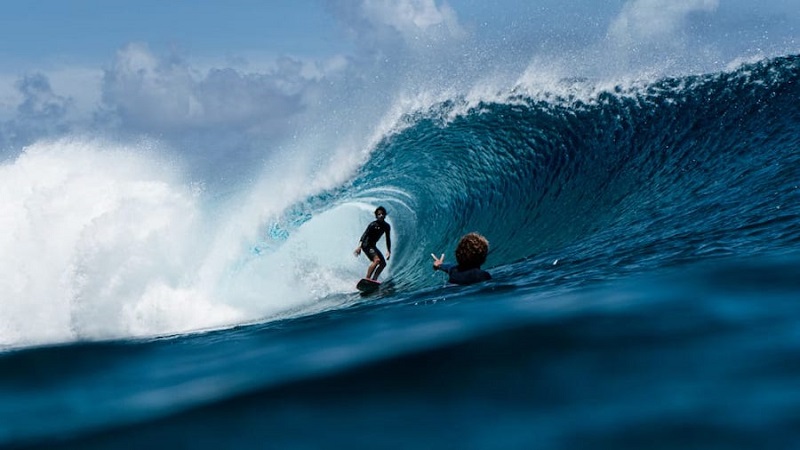
Speed priority (S or Tv) will allow you to change the speed of the shutter, whilst it keeps most other settings automated. The capabilities of speed priority vary depending on your camera, but most allow you to change the shutter speed from 30/1 to 1/4000. This means you can have your shutter open for 30 seconds to just one four thousandths of a second. As you change the speed, you’ll notice the aperture keeps adjusting to try and ensure even lighting on your photo. Longer shutter speeds are best for dark shots where you want to let more light in, and faster speeds are best for catching those sporting moments.
Aperture priority (A or Av) lets you change the aperture of the lens, whilst keeping most other settings automated. This means you can adjust how large the opening of the lens is, to let more or less light in at once. The size of the opening is displayed in F-stops. Each F stop is a level of size. Most cameras range from about F3.2 to F8. Despite logic though, as the F stop goes down, the lens opening gets larger. This means F3.2 is the largest opening, and F8 is the smallest. By changing your aperture you can take a brighter photo at night, and, more importantly, you can fiddle with your Depth of Field.
Manual mode (M) is all out. Everything here can be manually adjusted, from shutter speed and aperture, to ISO and white balance. This is the perfect option for the budding, or even professional photographer, who wants to have complete control over the lighting, depth of field, vibrance, and any aspect of their photo. It’s probably best though that you don’t take all your photos on Manual mode, because when you just want to point and shoot, auto mode will often get you better results. Take a photo on manual when you have a bit of time, and have an image in your head you want to put on the screen. You’ll find you’ll end up with a few trial photos of the same scene where certain settings aren’t quite right yet, but that’s all the fun in photography. This will be a photo that’s yours and not the cameras.
These are the basic modes on the camera. You’ll also find that, on most new cameras, there are various profiles or scenes you can choose from. These will automate all of the settings to get you the best photos depending on what profile you’ve chosen. For example, ‘sports’ will center itself around a quick shutter speed, so you can capture those fast moving moments. ‘Night’ will try and keep the aperture down low and the shutter speed slow to let as much light in as possible. There are countless profiles and scene modes coming out on the latest digital cameras, ranging from portrait to food, and for the casual point and shoot photographer, changing the scene according to your subject is a great and simple way to get the best photo.
Photography doesn’t have to be difficult. Even advance photography is now being made quick and easy. Just by understanding how your camera works and what it has to offer, you can get so much more out of a single photo. It’s likely your cameras features will go beyond the ones explained here, so the best way to learn is by playing around. Remember, whilst it may seem that your camera is packed with complex features, they’re all there for a reason. To make your photos great and your experience as simple as possible.


10. Mar, 2009 


No comments yet... Be the first to leave a reply!