The Art of iPhoneography

By Naveen Konduri
August 19, 2011 from Inspiration,Techniques,Tips and Tricks

The best camera is the one you have on you when you need it the most.

There have been many moments in the past when I’ve wished I had my camera on me to capture an amazing moment such as a cloud pattern I noticed when I suddenly looked up,  the way light reflected of a window pane,  the shadows cast by a street lamp. I have always  wanted to constantly capture those simple fleeting moments which make my life come alive.

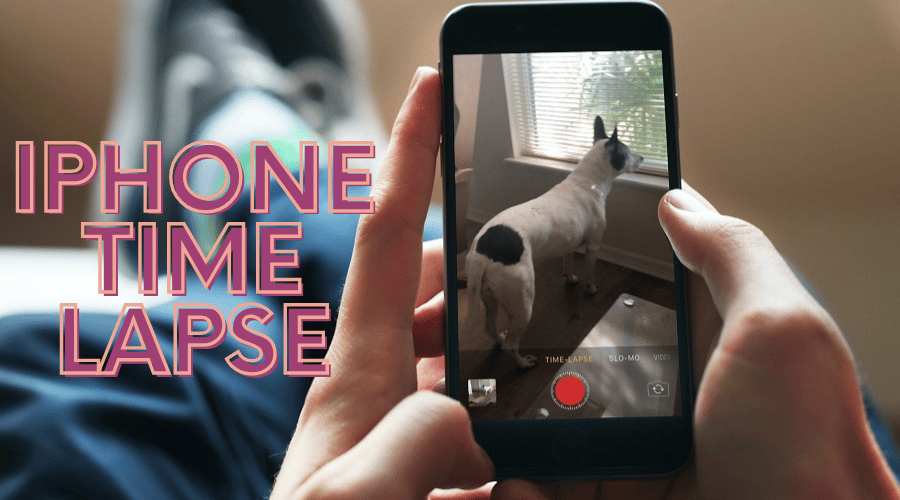
I have fulfilled this craving by becoming an “Iphonographer” (a term loosely used to describe someone who uses an iPhone as a camera). My camera is my phone, and my dark room, the plethora of apps I use to process my photos on the go.

It’s not just me, thousands of others are taking to using their mobile phones as their primary camera. This is supported by the fact that  the most popular camera on Flicker the leading photo sharing site is the iPhone 4.

Here are some helpful hints to get you started in the world of mobile phone photography. Although these are more iPhone centric, you can easily adapt them to any phone with a good camera and an app platform.

1. It’s all about timing

You definitely can’t carry your DSLR every time you go to work or for an evening stroll but it’s easy enough to slip your phone into your purse or pocket and keep it handy. The moments you see an interesting subject just reach for it and start clicking without wasting a breath.


2. Notice the small wonders

Instead of just walking with a purpose to go from point A to point B, enjoy the journey. Start noticing the small things of wonder:  leaf lying on the boardwalk, the bird on the tree, the flowers swaying in the wind, the smiling people, and the plastic bag stuck in the tree. There are numerous possibilities just waiting to be discovered and captured.


3. No one is bothered by a guy wearing headphones staring at his phone

People get conscious and at times offended if you walk around with a huge DSLR or even a point and shoot, but no one cares about someone with his ears stuffed with headphones who is  innocently starring in to his phone. Take advantage to get candid shots of people and events in their truest sense (but respect privacy and don’t offend anyone please)

4. Composition makes up for the quality

Photos captured using an iPhone don’t in any sense match the quality of photos from a DSLR, but you can make up for the quality by composing your shots very well. The fact that the phone is on you when you need one, is power enough to use it as a tool to capture the raw, emotional, unquantifiable elements in the moment.

5. It’s all about instant gratification

Good things are for sharing, and a camera phone makes it infinitely easy to shoot and share a lovely moment while you are on the go. Nowadays most of the phones and apps have apps which allow you to post pictures on your social networks, for your friends and family to see and enjoy . Isn’t it a nice feeling to see “likes” or comments on your photo before you even go home?

6. Use Apps to your advantage

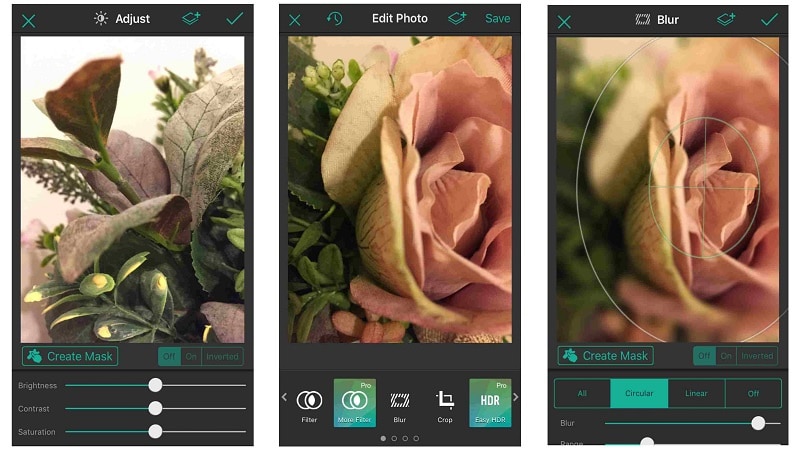
It’s a great idea to retouch or process your photos before you share them or store them for you own viewing pleasure. Apps allow you to correct some abnormalities, play with the color, contrast, or brightness and almost everything else you dream of, such as the ability to cross process and add numerous filters.  The possibilities to be creative are just unlimited. Most of the Apps are free though some of the good ones come at a small price, usually below $ 5.

Here are my top 5 favorites for starters:

  • Camera+: Amazing app for cleaning up photos using filters, adding amazing effects and borders . Worth every cent spent.
  • Instagram : A great community, fun filters to put on your photos and lots of inspiring images to look at. Look me up, I’m “gr8buddy” in Instagram.
  • Adobe PhotoShop Express with noise reduction filter: This is a great app, especially with the noise reduction filter, which does wonders on any picture shot in low light or that has come out a little grainy.
  • Hipstamatic : Digital photography never looked so analog. The Hipstamatic brings back the look, feel, unpredictable beauty, and fun of plastic toy cameras of the past!
  • ColorSplash : This iPhone app will convert any photo to black and white even while allowing you to keep specifically chosen details in colour.

7. Let the whole world “say AW!” At your creativity

Don’t limit your photo sharing to your social circle, go beyond, start a photo blog. It’s easy:  you can take a picture, process it using your favorite apps and blog it all from the comfort of your phone while you take that  bus ride to work or wait  at the Laundromat. Most of these blogs automatically post your content to all your social networks and have rich communities which will both inspire you and get inspired by you.  Two of the platforms I personally use are Posterious and Tumblr as they have great apps

8. Enjoy the moments

At the end of the day it is not just about what others think or how many times your photo gets “liked” or retweeted, but about the smile it will bring to your face, and the joy of capturing a fleeting moment which you would have missed if not for your handy phone camera. Enjoy the journey.

To see more of my work visit www.shotwithmyphone.com

Follow me on twitter @gr8buddy

Know more about.me

  • Lenee Kay

    Thanks for sharing!!

  • véronique

    Thanks you very much!!!

  • http://www.zwkphotography.com Zachary Konecki

    These are incredible! My favorite is the one with the soldier and the Statue of Liberty. Such a magnificently composed shot. Great article, and great photos! This will totally help my cellphone photography.

  • Craig

    Great article! I had a great couple of days exploring central Vietnam on a motorbike with just my iPhone to get a few pix. I got a few good ones that I’m really quiet proud of.

  • http://www.simongregorphoto.com Simon

    Great article – will definitely be using some of these tips next time I am out with just my iPhone, and thanks especially for the app recommendations!

  • http://www.alcheapo.com/ Faibo borhanz

    Great tips. Thank you very much.