DIY Black Background

Chris Losieau

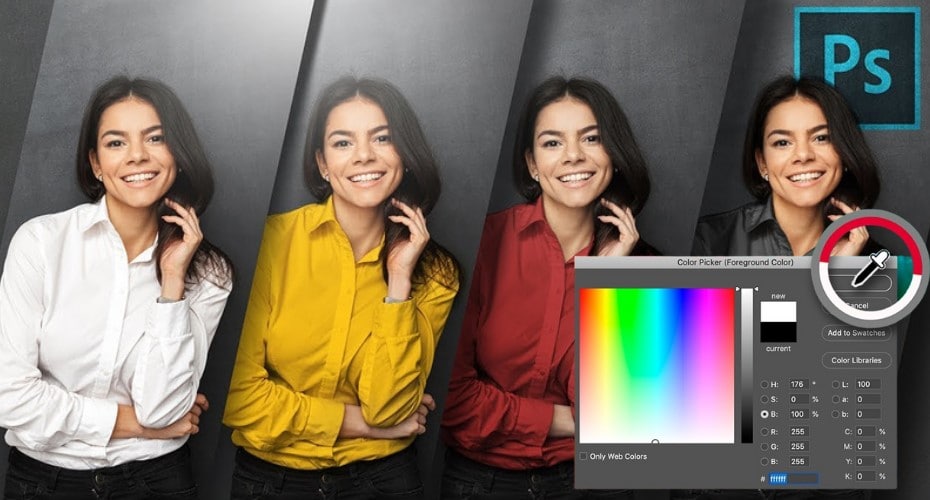
When taking portraits it is often a great effect to have a clean black background. With a flat black background the viewer can focus more on the subject of your photo. Backgrounds and stands can rack up a high price quick, but who says you need a professional and expensive background to get professional results? In this article you will learn how to set up a working background on a budget.

Items Needed:

  • Black Fabric
  • Clips or Tape
  • An open Wall
  • Lights (preferably remote flashes)

Steps:

  • Take your Black Fabric and secure it up high on the wall you are using
  • Place your lights
    • If possible the one of the best lighting set ups would be having 2 lights on the right and left, and one lighting the hair from the back. This will help separate the hair from the backdrop. This is especially useful if your model has dark hair.
  • Have your model stand at least 3 feet away from the background to avoid lighting the backdrop.
  • Take a few test pictures and adjust your lights until you get a image you desire.
  • Once you are happy with the setup snap away!

Example light setup

Twitter Digg Delicious Stumbleupon Technorati Facebook Email
This post was written by .

Patrick Murphy is a College freshman who has taught himself photography. He is from Seattle, WA, USA and is studying computer science and photography at Central Washington University . Flickr | Facebook Fan Page | Website

  • Jo5hn

    Can This Be Done With A White Background?
    Also Wanted To Know Can You Blur The Background If You Have A Subject In The Background Using Adobe Photoshop CS3?

  • http://www.slapdashwebdesign.info Patrick Turner

    J05hn,
    Yes this can be done with a white background, but you have to be extra careful to keep the fabric as flat as possible. The black absorbs the light, and also because of its color shadows do not easily show on it. The white however bounces the light back to the image sensor exposing shadows and wrinkles. Here is a image I did with a white background: Image if you look at the top left then you will see where I forgot to pull tight. Experiment and I bet you will get something good.

    The hair light is not quite as necessary with this because the dark hair will have enough contrast.

    Let me know how it works out! :)

  • Jo5hn

    Thank You I Will Try It And See How It Works!

  • http://learnmorephoto.com Terri Ann

    I tried to reply directly to Jo5hn but there was a JavaScript alert error :(

    Typically doing this same setup with a white sheet behind you would not yield the isolated on white results you would hope for. Your best bet is to take the back light and turn it to light the white background and hope it blows out the white and any wrinkles enough that it is 10x easier to isolate the subject in PhotoShop.

  • http://www.allegriaimagesbylynn.blogspot.com Lynn

    I really, really need to figure out how to do this–light dark hair against a dark backdrop. My question, though, is whether you need to photoshop out the light stand behind the subject. Doesn’t it show? Unless you have it behind the backdrop shining down or something. Maybe I’m just dense…

  • http://www.slapdashwebdesign.info Patrick Turner

    You could put it down low, so it is not in the shot, or You can have it at an angle, like 45 degree’s to your subject, this could put it out of the shot. or you could try and photo shop the stand out.

    This wiki article on 3pt lighting might help you, http://en.wikipedia.org/wiki/Three-point_lighting
    especially this image:
    http://upload.wikimedia.org/wikipedia/commons/thumb/d/d8/3_point_lighting.svg/220px-3_point_lighting.svg.png

    Hope this helps!

  • http://Website(optional) Stacee

    I am looking to find out how you can digitally make background look like a wall with baseboard. Any programs out there with this?